



|
If you are a Mac user who is currently running macOS Ventura (the operating system released by Apple in late 2022) or an earlier operating system, you may find that certain apps on your Mac are no longer able to be updated.
In fact, certain apps - like those in the Microsoft 365 suite (Word, Excel, Powerpoint, OneDrive) - may not even be able to be downloaded and installed. This is because Apple's support for macOS Ventura has ended, meaning no further security patches or support. Additionally, Microsoft has advised users of its Microsoft 365 products that they are now only supporting the current and previous two versions of the Mac operating system.
0 Comments
Many of you who have a Microsoft 365 subscription for Word, Excel and Powerpoint will have recently received an email from Microsoft, advising how you can change your Microsoft subscription and save some money.
I have had several people contact me asking if this email is legitimate. The short answer is 'yes it is' - probably. Microsoft has definitely sent around such an email. In my own case, I received 3 emails - where email 2 and 3 were corrections to the original and 2nd email! As always with an email like this that entices you to click/tap a link and sign in, I am always extremely cautious before clicking any link - and make sure I do a series of checks before ever clicking/tapping the link. There is always the danger that a scammer will replicate the content and send a phishing email that looks the same, to attempt steal your login credentials. So here's how to check that the email in your own inbox is legitimate, and what to do if you receive it. In a separate article, I talk about Microsoft's large price increase for its Personal Microsoft 365 accounts - justified by Microsoft by highlighting the addition of (amongst other things) AI-powered tools like Co-Pilot.
As I mentioned in that article, I did pay increased subscription back in Dec 2024, not seeing any obvious option for 'opting out' of the new AI features. While I have now downgraded my subscription, this will not take effect until Dec 2025 when the subscription is next renewed. In the meantime, I may as well make use of Copilot for the next few months - seeing as I am paying about $4/month to have it! Here's what I found when I had a play with it. In the past few months, those of us with Microsoft 365 subscriptions (for Word, Excel, Powerpoint, Onedrive etc.) were told our subscription cost would increase by a huge $40 per year - from $139/year to $179/year for a Family subscription, and $109/year to $159/year for a Personal subscription.
Microsoft justified this massive increase as necessary to provide us with AI capabilities that we never asked for. Most people I deal with who have Microsoft 365 subscriptions for personal their use have little or no interest in the AI capabilities delivered by Microsoft's Copilot, and certainly don't want to pay this extra cost for this in their subscription. Here's how to avoid this increase. 12/7/2023 0 Comments Word Tip: How to slightly compress a paragraph's text so that it will fit on a pageThis is something that I do so regularly, as part of preparing my books for publication.
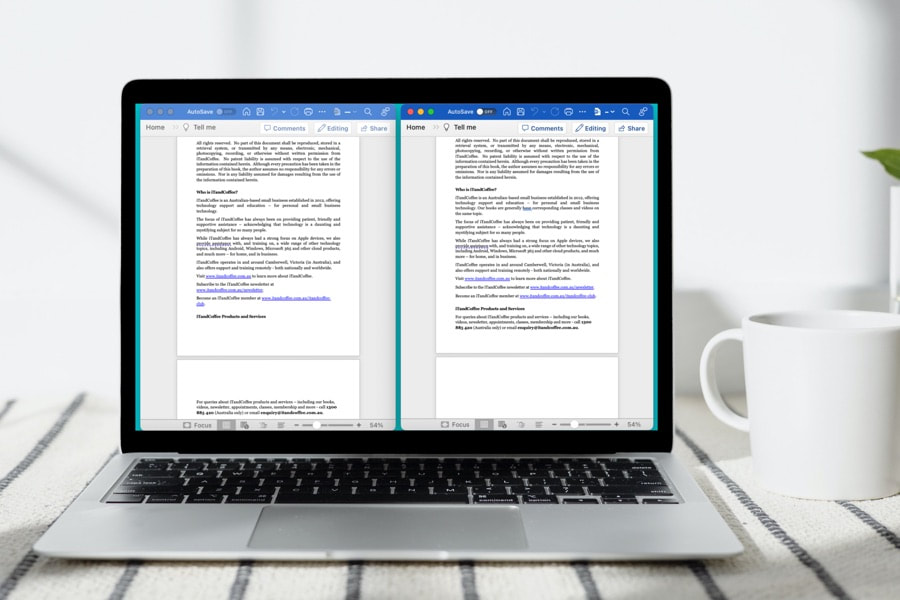
I have just been updating the Travelling with Technology (iPhone & iPad Edition) book (available in both Paperback and Digital format) to include a section that provides further detail of how to manage dual SIMs in your iPhone, especially when you travel. All my books are written in Microsoft Word, and exported to PDF before uploading to my publisher's website. As part of the process of finalising such a book, I always go through page by page, checking the images and paragraphs and looking for cases where I want to adjust the paging forcing a page break (Control-Return/Enter on Windows, Command-Return on Mac) or by forcing part of a paragraph that has been split across two pages to appear on the same page - or even try to get a whole paragraph to move back a page, as shown in the example in the image above. Adjusting the split or paging for the paragraph is done by slightly compressing the text in that paragraph and/or in other paragraphs on the page (since it may be other paragraphs that can take up less lines, thereby making more room for the page's last paragraph. iTandCoffee Club member Sarah had this question when working with documents supplied to her. The documents contained information in tables, but the system she used for uploading these documents needed the documents to NOT include tables.
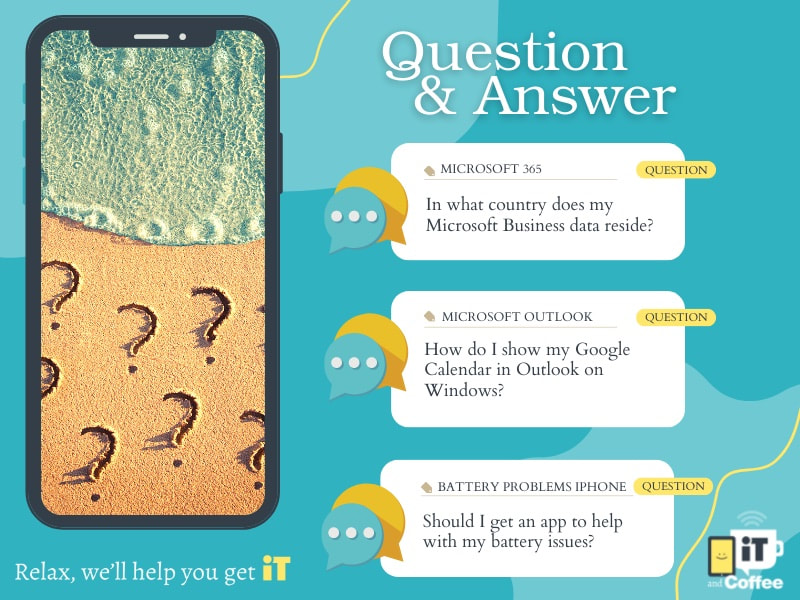
So she asked for advice on how to convert a table of information into normal paragraphs. 12/2/2022 0 Comments This week's Q&A - Microsoft Business data location, Gmail calendar in Outlook, App to help with battery issueEach week, iTandCoffee gets lots of questions from clients - either via email, or during appointments/classes. Here are just 3 that we answered over the past fortnight - questions and answers that might be relevant to other readers of our Newsletter. If you need help with things like this, don't hesitate to make a time to talk to iTandCoffee (or call 1300 885 420).
|
What's on at iTandCoffee ?Below is our list of videos, classes and other events that are coming up soon.
Videos shown are offered for eligible members of the iTandCoffee Club. If you have questions, why not join fun and informative 'user group' meetings, held once a month. All iTandCoffee classes are run as online classes (using Zoom), which means you can attend from anywhere. |
27 Sycamore St, Camberwell, Victoria Australia
(also located in Daylesford)
Call +61 444 532 161 or 1300 885 420
to book an appointment or class, or to enquire about our services and products

|
SENIORS CARD WELCOME HERE:
Seniors Card holders qualify for a 10%* discount on eligible classes booked and paid for online. To activate the discount at the time of booking, select Redeem Coupon or Gift Certificate and enter 10OFFSEN before selecting Pay Now Seniors can also save $5** on the first full hour of appointments booked online. Enter Coupon Code of BASEN5 when booking to receive this discount. * Some heavily discounted classes are excluded from the 10% class discount offer. ** Where more than one type of discount is available, only one type of discount can be used. |
© 2012-2025 iTandCoffee Pty Ltd. All rights reserved ACN: 606 340 434
RSS Feed
